
Why Masqott
MQTT brokers are chatty, hierarchical, and hard to inspect. Command-line clients show you a firehose; most GUIs show you a flat list. Masqott instead mirrors the broker's structure as a live outline you can expand, search, publish into, and open in multiple windows — the way a native Mac app should feel.
Features
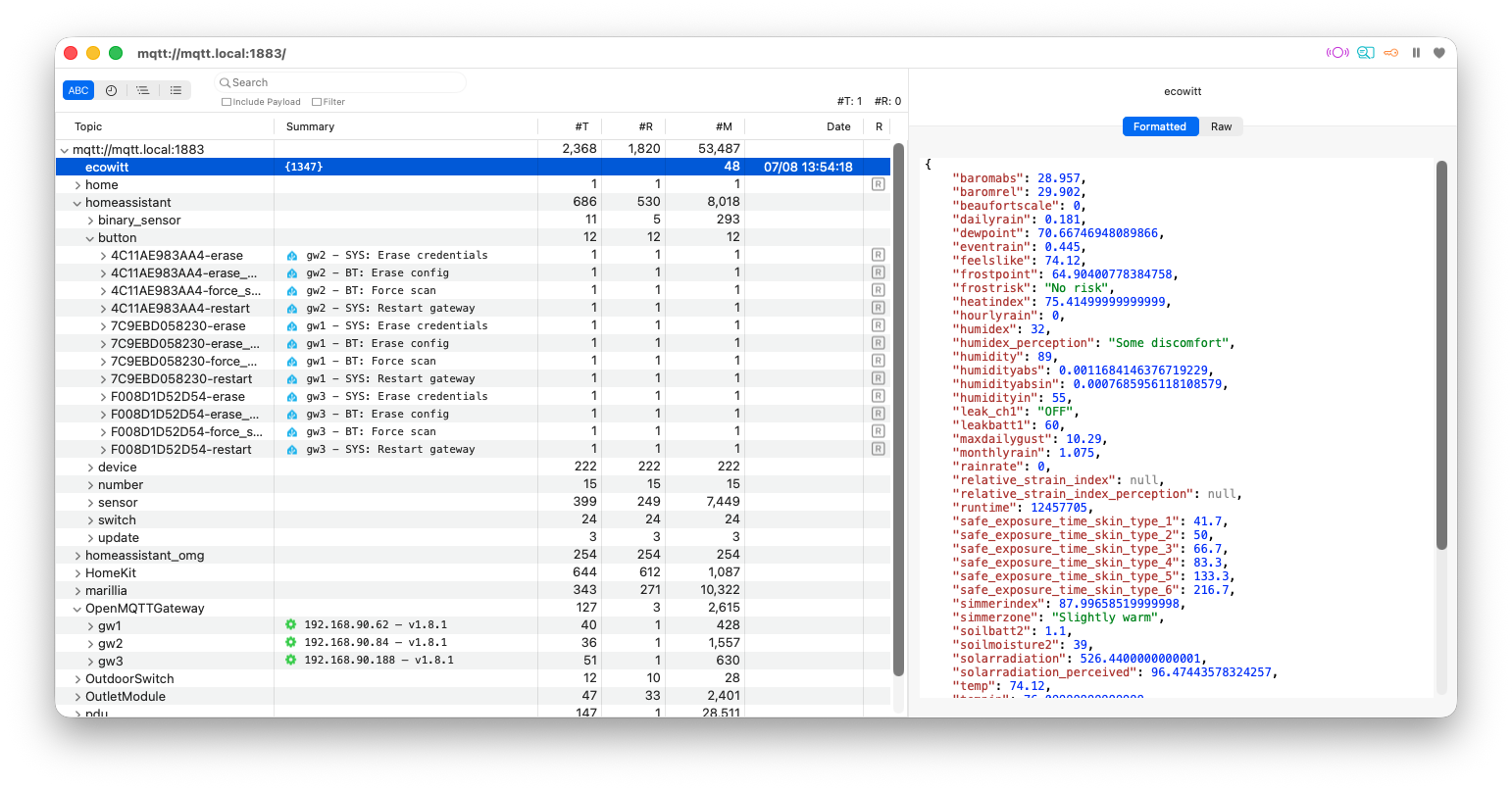
Browse the whole tree, live
- Outline view of the entire topic hierarchy, updating in real time as messages arrive.
- Multi-window — open the whole server in one window and a single subtopic in another, side by side. Open any subtopic in its own new window.
- Keyboard navigation — use arrow keys to navigate, expand/collapse whole hierarchies with ⌥ + left/right arrow.
- Pause updates to study a moment without the tree shifting underneath you.
- context menu to show/hide table columns (with helpful column tooltips).
Connect securely
- Username / password authentication.
- Broker metadata display, so you can see what the server reports about itself.
- TLS and mutual TLS (mTLS) support (disabled to avoid export restrictions, will be available in later App Store builds).
Publish with ease
- Double-click or context-menu publish straight from a topic.
- A dedicated publish window with a large topic field, value editor, and JSON formatting/syntax highlighting.
- Publish history to recall and resend earlier messages.
- Clear visual feedback the moment a message is sent.
- Honest retained-message handling, with tooltips explaining the retain flag.
Find what matters
- Find across the tree, with filterable search results.
- Prev/next navigation that starts from your current selection.
Represented Devices
Some groups of subtopics really describe one physical thing — its name, IP, online state, firmware version. Masqott can recognize such groups and create a single readable summary line on the parent topic, instead of making you drill into every subtopic.
- Ships with built-in device definitions (ESP32/ESP-IDF, Home Assistant discovery, OpenMQTTGateway, and more).
- Fully user-extensible via a JSON file — match topics structurally, pull values from payloads or JSON, and render them with inline color and SF Symbol markup. Your definitions merge with and override the built-ins.
Organize your workflow
-
Favorites and Open Recent for the brokers and topics you return to.
-
URL support — open a broker, navigate to a topic, and even publish, all from a link:
open mqtt://mqtt.local:1883/home/test?value=123&retain=false&publish=true
Requirements
- macOS
- An MQTT broker (with optional TLS / mTLS / credentials)
Get Started
- Download Masqott and unpack it if needed.
- Move Masqott to your Applications folder
- Launch it!
- Press ⌘N to connect to your MQTT server — and start browsing.